Классический форум-трекер
canvas not supported
Нас вместе: 4 266 003

Noto | Minimal Note-Taking App 2.1.0 [Ru/Multi]


RSS
Начать новую тему   Ответить на тему    Торрент-трекер NNM-Club -> Архив торрентов -> Архив КПК и Мобильных устройств
Автор Сообщение
OctaneS ®
Модератор КПК и Мобилок
Стаж: 15 лет 2 мес.
Сообщений: 3799
Ratio: 13.762
Раздал: 24.36 TB
Поблагодарили: 174939
100%
Откуда: Станция «Венеция»
krevedko.png
Noto | Minimal Note-Taking App 2.1.0
Тип раздаваемого файла: Программа
Поддерживаемая ОС: Android 5.0+
Тип установщика: Apk
Разработчик: Ali Albaali
Официальный сайт: ссылка
Marketplace: ссылка
Релиз состоялся: 08.07.2022

Язык интерфейса: Русский, Английский, Шведский и т.д.
Тип издания: OpenSource (GitHub Free)
Права Root: Не требуются

Описание:
Минималистичный и современный дизайн. Благодаря своему современному и упрощенному дизайну, Noto упрощает навигацию и поиск информации. Используйте библиотеки для группировки заметок. Настройте каждую библиотеку с разными именами и цветами, чтобы вы могли легко находить и систематизировать свои заметки.
Ad-free
We all hate ads. Well, Noto doesn't have any, and it never will. Enjoy the full experience without any ads and free of cost.

Open source
Noto is an open-source application. You can view its source code on GitHub at anytime using this link https://www.github.com/alialbaali/Noto

Privacy
All your notes and folders are stored locally on your device, and they will never leave it.

Minimal and modern design
With its modern and simplistic design, Noto makes it easier to navigate and look things up.

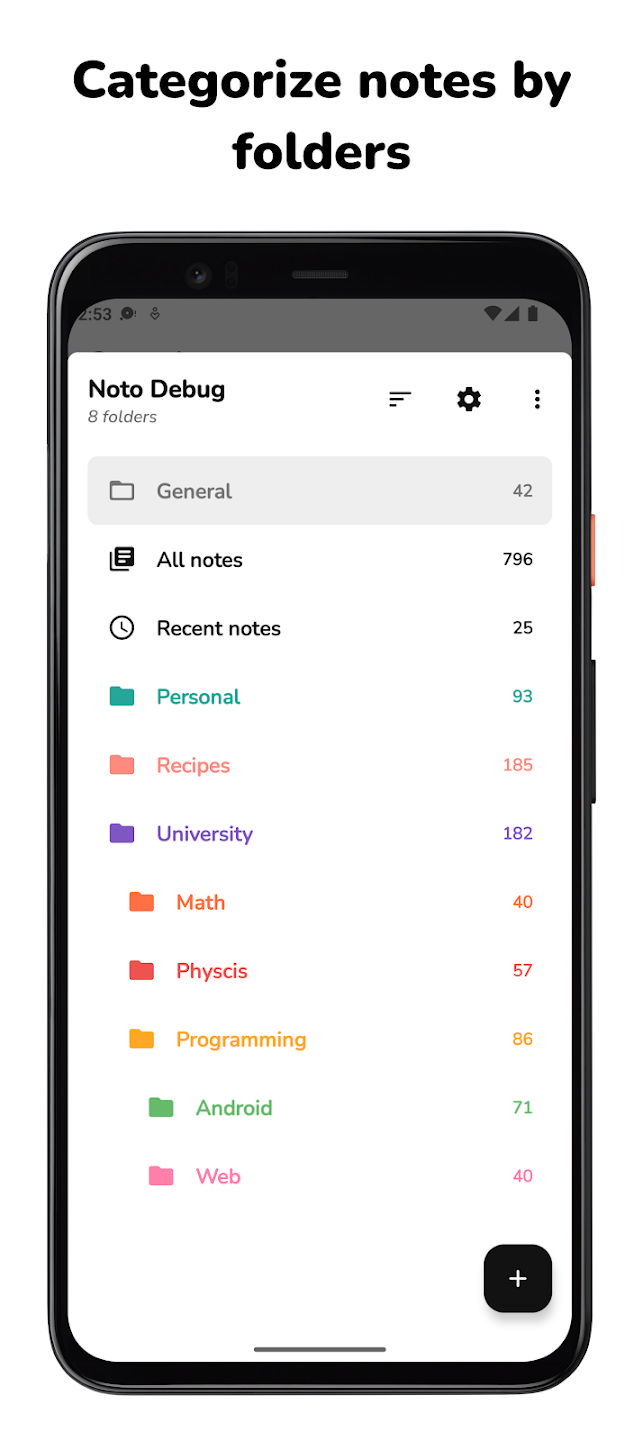
Folders
Use folders to group different types of notes. Customize each folder with various names and colors, so you can easily find them and organize your notes.

Folders vault
Want to keep some stuff private? You can add as many folders as you want to the vault and lock them with passcode, fingerprint, or facial recognition.

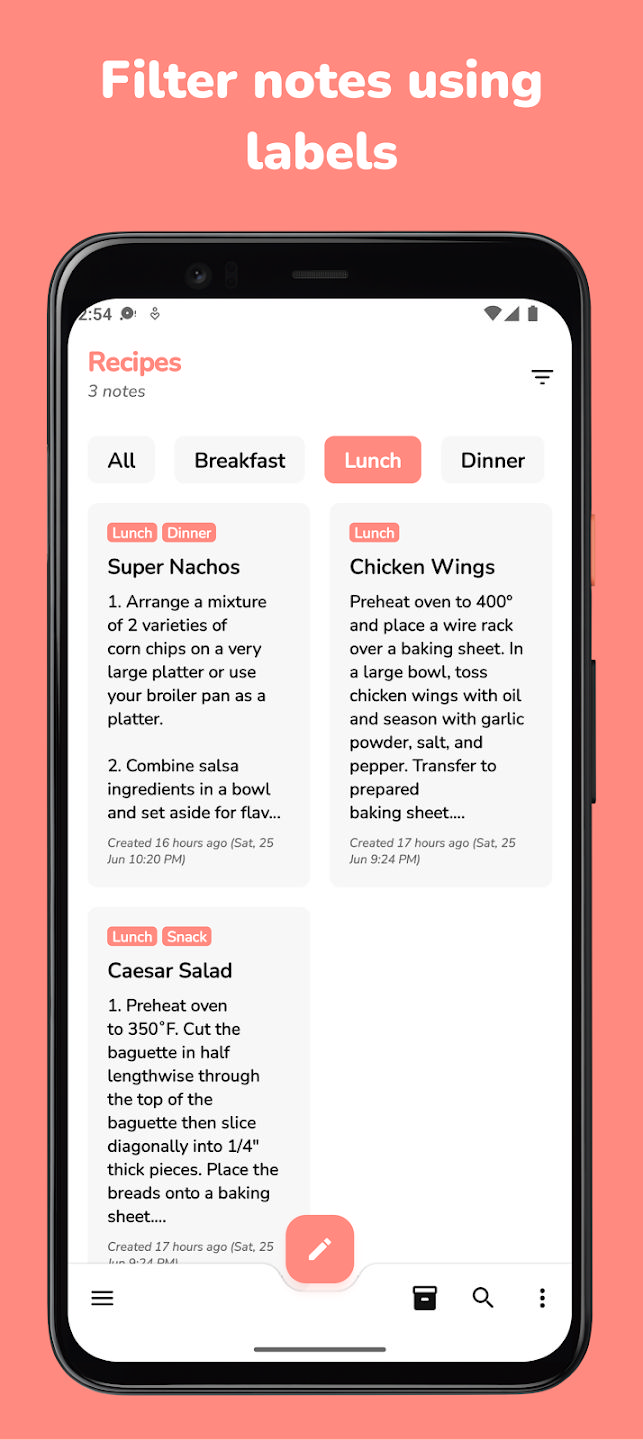
Labels
Each folder has its own set of labels, and you can use them to filter your notes in the anyway you want. Including, inclusive or exclusive filtering.

Pinned folders & notes
You can pin folders & notes to stay at the top, without the need to search for it.

Folders & Notes archive
Done with a folder or a note but you don't want to delete them? Just archive it. There is folders archive. In addition to, each folder has its own archive where you can keep your notes just in case you need them at a later time.

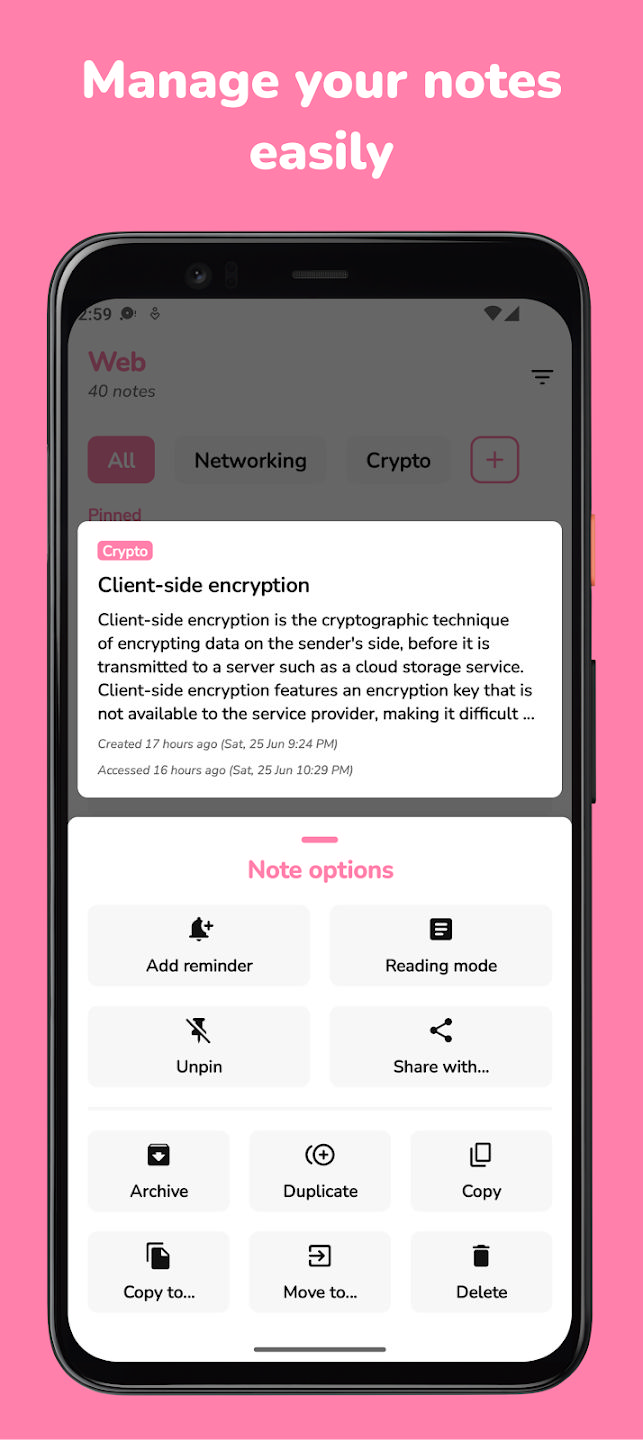
Duplicate/Copy/Move notes
Noto supports duplicating, moving, and copying notes across different folders.

Auto save
You don't need to worry about saving your notes constantly. Noto automatically saves your notes immediately while you're typing.

Notes word-count
Noto keeps track of the number of written words in each note.

Light/Dark/Black/System themes
Do you want to check your notes at night? No problem! Noto supports auto dark mode by default. You can also keep Noto’s theme always light, dark, or black depending on your needs.

List and grid layout modes
You can customize folders’ and notes’ layouts to list or grid, depending on what you prefer.

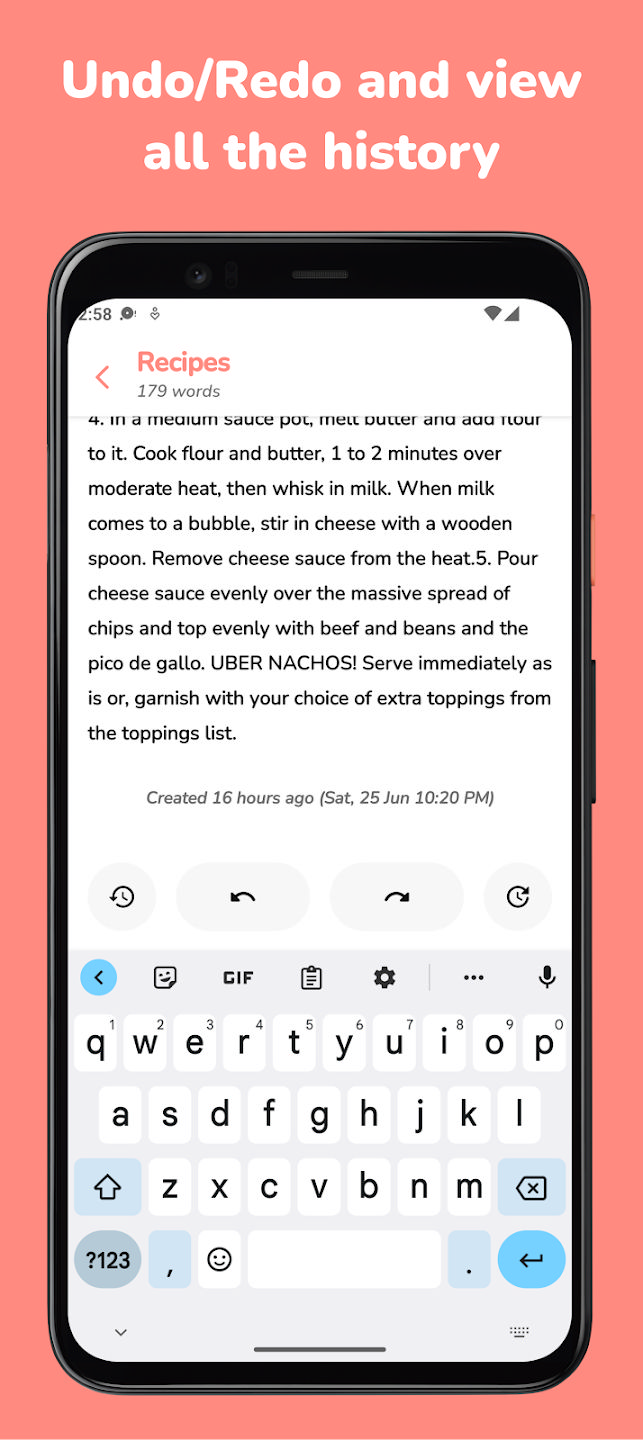
Undo/Redo with history view
Have you ever typed something but accidentally deleted it? You can easily undo that, or if you wish, you can view the history and jump to any previous version you like. On top of that, Noto supports swiping left or right to undo/redo for faster usage.

Reminders
You can attach reminders for your notes, and you will get notified about them in time.

Reading Mode
Don't want to get distracted? Noto features Reading Mode, where you can read your notes without any interruptions.

Custom sorting and grouping
You can sort folders or notes alphabetically, by creation date, or manually, group notes by label, or by creation date.

All notes/Recent notes
Don't remember which folder had the note? With all notes view, you can quickly search for it. Or, if you have checked it recently, it would be in your recent notes view.

Remembering scroll position
Noto can remember your scrolling position for each note and folder.

Supported languages
Noto is available in these languages: English, Turkish, Arabic, Indonesian, Russian, Spanish, French, and German.

Folders and notes widgets
With widgets support, you can easily perform many actions directly from your home screen.

Export folders and notes
Do you want to back up your data? Noto provides an easy way to export your folders and notes.

v2.1.0

Этого нет в чейнджлоге, но похоже разработчик убрал русский язык.
Redesign labels.
Highlight labels when dragging.
Redesign bottom and top app bar in all layouts.
Make headers clickable in All notes and Recent notes layouts.
Format dates in a better way.
Support for full-screen mode during Reading Mode.
Support for Do Not Disturb during Reading Mode.
Support for keeping screen on during Reading Mode.
Redesign many menus.
Redesign new/edit folder layout.
Add grouping order for notes.
Add elevation when dragging labels and notes.
Include preview in folder, note, and label menus.
Allow copying text in Reading Mode.
Change highlight color in notes.
Navigate to folders layout before exiting the app.
Support setting All folders, All notes, or Recent notes as main interface when launching the app.
Support for Material You (Material 3).
Redesign splash screen.
Support editing note from Reading Mode and jumping to the scrolled text.
Support remembering scrolling positions for folders and notes.
Navigate to the folder when creating it.
Redesign search.
Hide bottom app bar when keyboard is shown.
Implement clicking on top app bar to navigate to All folders' layout.
Disable animations for labels and folder colors.
Fix a bug causing note to be empty.
Support for undo/redo and viewing their history.
Fix importing data.
Fix notes count in folders layout.
Fix a bug when opening a vault crashes on API 31 (Android 11) and above.
Add new note button in headers.
Implement swiping gestures to undo/redo.
Redesign snackbar messages to include an icon.
Support filtering labels inclusively or exclusively.
Redesign app icon.
Support changing app icon.
Add archive or vault icon next to folder title when folder status is either of them.
Add widget preview in widgets picker.
Implement slight vibrations when showing a snackbar.
Change font weight and text size in different layouts.
Enable showing notes count by default.
Support German.
Other bug fixes and design improvements.

v2.0.1

• Bug fixes.
GitHub Free версия приложения.
Скриншоты:

Время раздачи: 24/7 - [По возможности] (до появления первых 3-5 скачавших)
Благодарность автору выражаем кнопкой и оценкой
Желающие материально помочь, могут временно отключить блокировку рекламы
и в таблице описания торрент-файла прочитать, как отблагодарить автора.
[NNMClub.to]_Noto - Minimal Notes App.torrent
 Торрент: Платиновая раздача  Зарегистрирован
 
Скачать


Примагнититься
 Зарегистрирован:   08 Июл 2022 17:17:16
 Размер:   8.89 MB  (
 Рейтинг:    (Голосов: 7)
 Поблагодарили:   46
 Проверка:   Оформление проверено модератором 09 Июл 2022 19:03:47
Как cкачать  ·  Как раздать  ·  Правильно оформить  ·  Поднять ратио!  

_________________
Топик был перенесен из форума ПО для Android в форум Архив КПК и Мобильных устройств

Причина переноса: Длительное отсутствие сида на протяжении более 6 месяцев.

Исправил релиз - напиши ЛС OctaneS, дав ссылку на релиз.
Если нет ответа 24 часа - нажми на кнопку "Обратить внимание модераторов".
Показать сообщения:   
Начать новую тему   Ответить на тему    Торрент-трекер NNM-Club -> Архив торрентов -> Архив КПК и Мобильных устройств Часовой пояс: GMT + 3
Страница 1 из 1