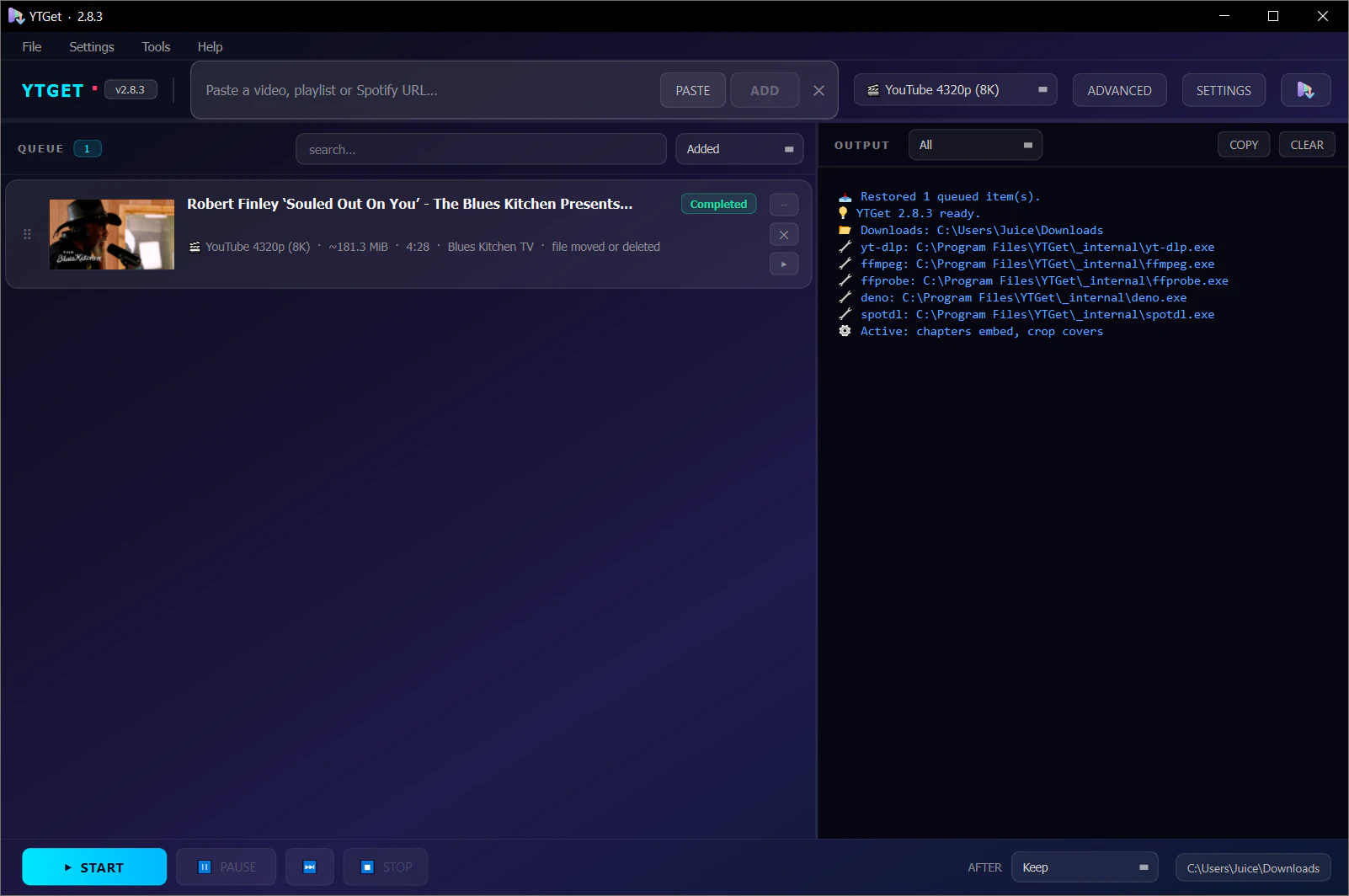
YTGet - Удобный загрузчик YouTube с yt-dlpОт Автора:
"Я только что закончил работу над приложением YouTube Downloader под названием YTGet, созданным с использованием Python и PySide6. Это простое, портативное и удобное настольное приложение, которое позволяет вам без труда загружать видео, плейлисты и музыку с YouTube, используя yt-dlp. Не нужно устанавливать Python, yt-dlp и ffmpeg — это автономный .exe для Windows. 🚀
🌜 Вебсайт📦 Скачать🖼 Скриншоты🌟
Особенности:📹 Несколько форматов — Загружайте в разрешениях от 480p до 4K
🎵 Режим MP3 — Высококачественная аудиозапись с встроенными миниатюрами и метаданными
📄 Субтитры — Автоматическая загрузка субтитров
📂 Поддержка плейлистов — Загружайте целые плейлисты в аудио- или видео-режиме
✂️ Извлечение клипов — Загружайте части видео по времени начала/конца
⏭️ SponsorBlock — Пропускайте рекламный контент, интро и аутро
🧩 Обработка глав — Встраивайте или разделяйте видео по главам
🌐 Поддержка прокси — Конфигурируйте прокси для загрузки
🗃 Организация каналов — Автоматическая сортировка видео по папкам загружающего "
PS:"Закончено большое обновление интерфейса! 🎉
Я только что закончил крупный редизайн интерфейса приложения и хотел поделиться тем, что нового:
🖥️ Главное окно было полностью переработано, чтобы выглядеть более аккуратным и быть намного удобнее в использовании.
⚙️ Панель расширенных настроек тоже обновилась, теперь проще находить и настраивать все необходимые параметры загрузки.
🎨 Настройки теперь имеют свежий, современный вид, который делает процесс настройки поведения приложения простым.
📱 Приложение стало более отзывчивым и лучше работает на разных размерах экранов.
Мне было бы очень интересно, если бы вы его протестировали и сказали, что думаете! Любая обратная связь или идеи очень приветствуются. 😊"
✨ What's New v2.8.3
Release summary
YTGet 2.8.3 fixes the app closing on its own in the middle of a download and
adds per-site, per-recording-type file naming. Your settings and queue carry
over untouched, and every file is still named exactly as before until you
choose otherwise.
⚡ Highlights
🛡️ No more silent closes mid-download
Fixed a crash between and during downloads. When an item finished, the
queue released its download thread a moment before that thread had fully
stopped. Depending on timing this crashed the whole app with no error
message — in the packaged build and when run from source. A stress test
that crashed 2.8.2 on every run now passes reliably.
Fixed the app quitting while minimised to the tray. With the window in
the tray, closing any dialog (Preferences, About, Check for Updates, or the
clipboard watcher's "queue this link?" prompt) made the app exit, ending
the running download.
A bug inside a download no longer leaves the queue stuck on
"Downloading": the item fails cleanly and the queue moves on.
🏷️ File names per site and per recording type
New Preferences → Output → Per-site naming card with one setting each
for YouTube, YouTube Music and Other sites, split into
Video and Audio.
Each slot can Use general setting (the default, which is the current
behaviour), pick any preset, or use its own custom template. Set
Artist - Track # Title for music and Uploader - Title for videos once,
and never switch templates again. (Suggested by Mike — thank you!)
New preset Artist - Track # Title. It falls back to the uploader when
there is no artist and to the playlist position when there is no track
number.
🩺 Crash reports you can actually send
YTGet now keeps ytget.log and crash.log in its data folder (under
logs). Native crashes, uncaught errors and Qt fatal messages are written
there, even in the packaged build that has no console.
Help → Open Logs Folder takes you straight to them.
🧹 Other fixes
Cover cropping threads are shut down the same safe way as downloads.
Thumbnail lookups clean up after themselves on their own thread.
Startup no longer fails in headless tools that create a non-GUI Qt app.